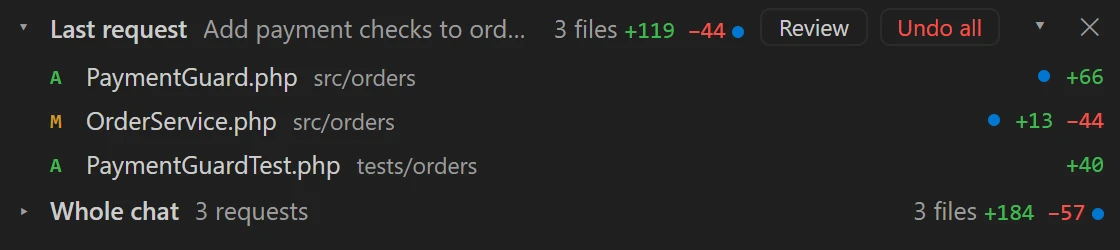
Under the chat, what changed
After every request the list opens by itself under the chat: the files of the last request and of the whole chat, with added and removed lines. Click a file to see the diff; “Undo all” puts the files back as they were.
 MyHeroStudio
MyHeroStudio is the Windows editor built around Claude Code. Every AI change is logged with its reason, checked against your rules and undone in one click.
30 days free, no card. Windows 10 and 11.
Everything is back to before the request. Nothing lost: the change stays in the History.
Real screens from the editor, with a sample project.
After every request the list opens by itself under the chat: the files of the last request and of the whole chat, with added and removed lines. Click a file to see the diff; “Undo all” puts the files back as they were.
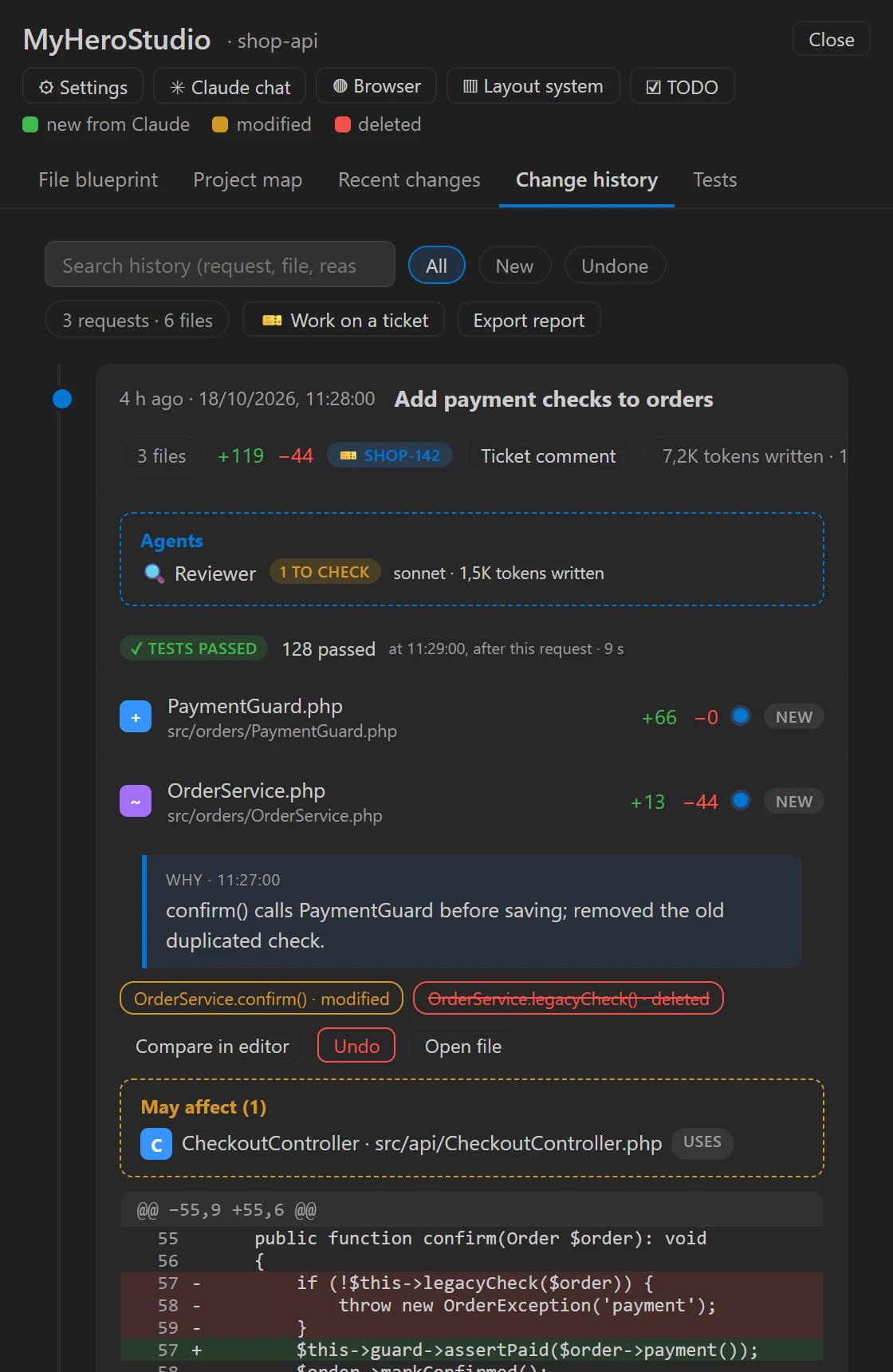
The History keeps every request: the reason for each change written by Claude, the methods touched, the code that depends on them, tests, ticket and the agents' review. From here you undo a single file after seeing what it affects.
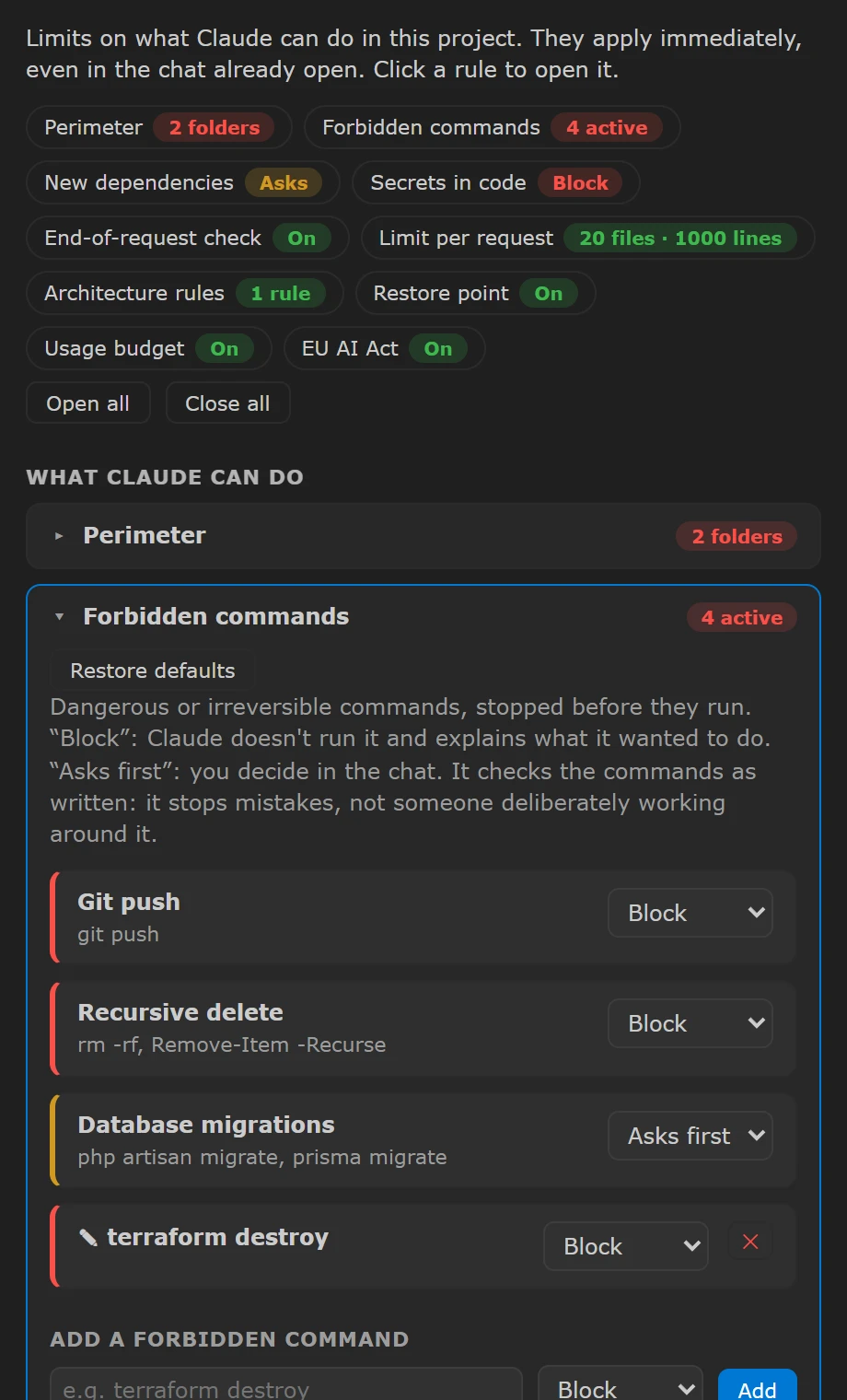
Folders Claude may write, forbidden or confirm-first commands, secrets, new dependencies, a limit of files and lines per request. They apply immediately, even in the chat already open.
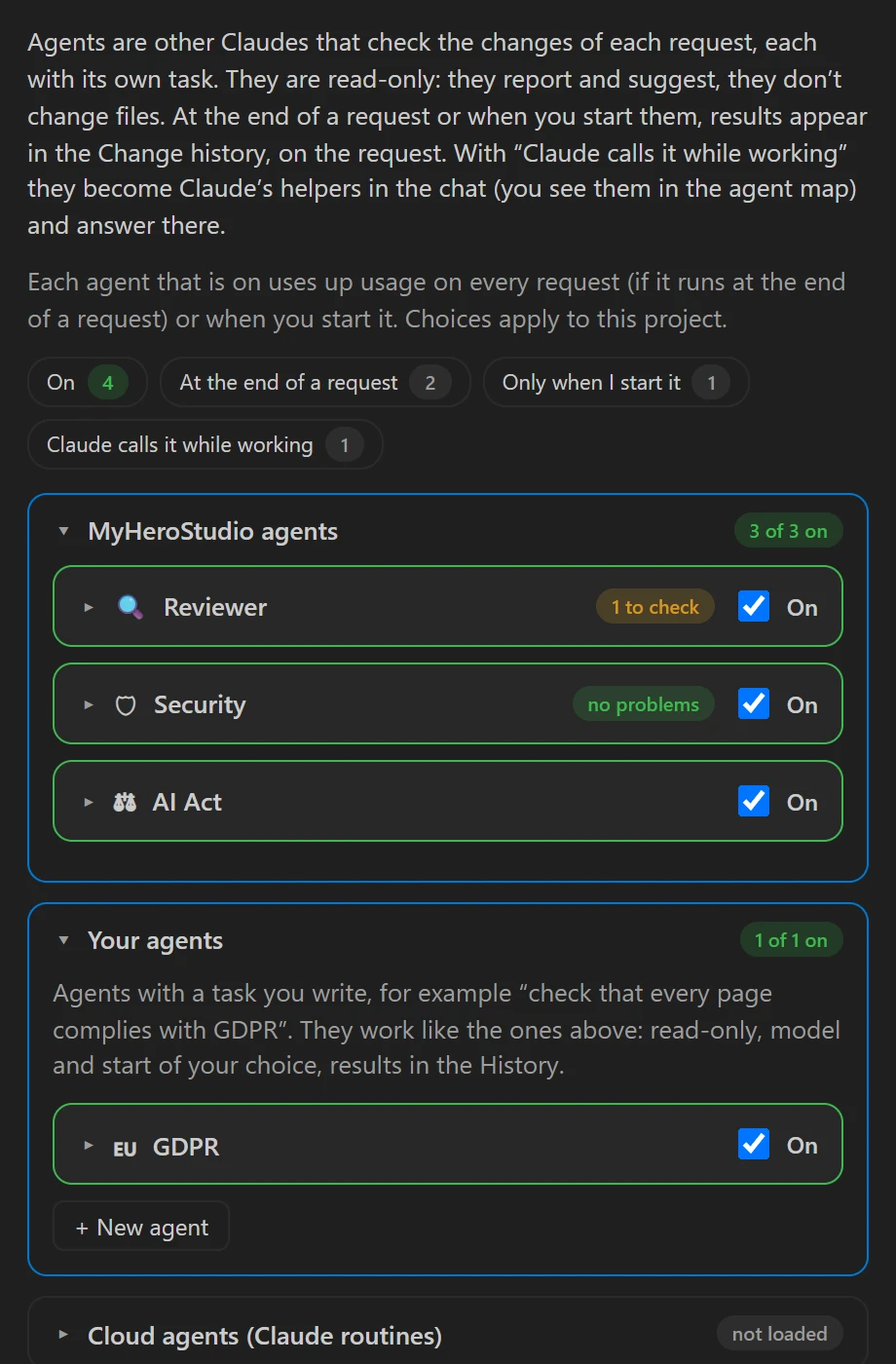
Reviewer, Security, AI Act and agents you write read the changes at the end of a request, without touching files, and leave their review in the History. Claude's cloud routines are there too.
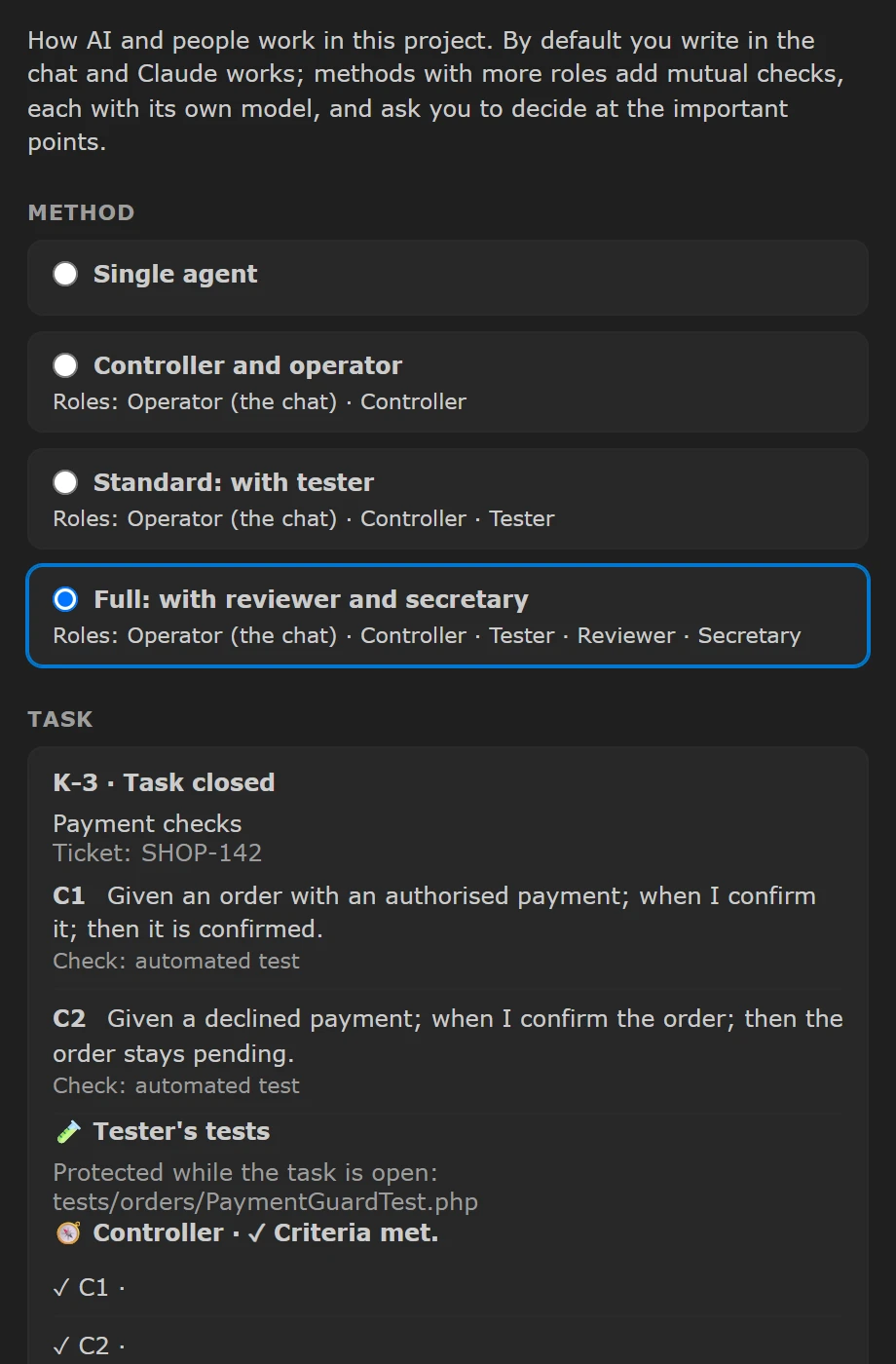
Choose how much control you want: from a single agent to the full method with controller, tester, reviewer and secretary. Every task has criteria written first and checked at the end.
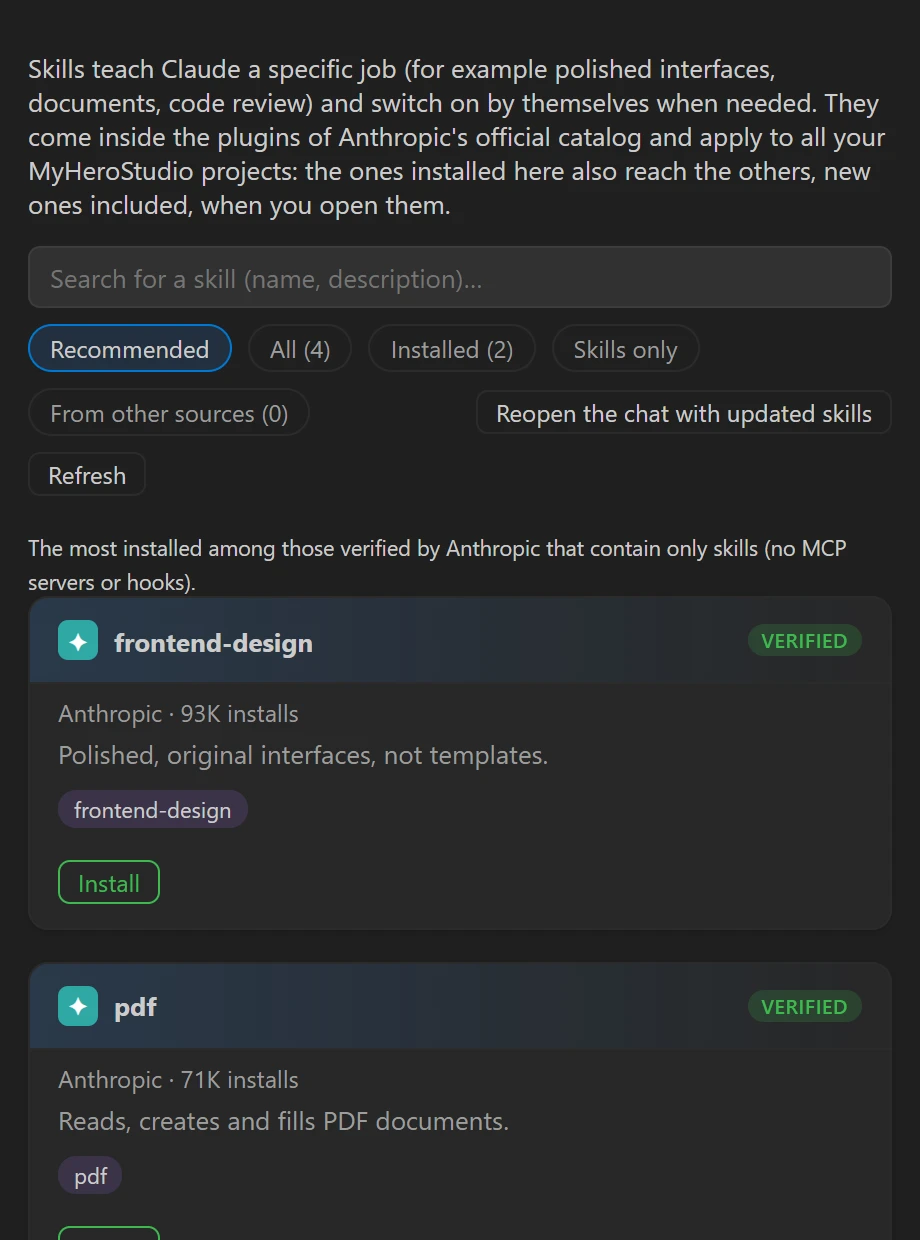
Skills from Anthropic's official catalog install in one click and apply to all your projects, new ones included.
MyHeroStudio stops a forbidden command or a write to a protected file before it happens, and tells you.
$ git push origin main
■ MyHeroStudio stopped: command forbidden by the project rules€12 per month
30-day free trial
You also need a Claude subscription (Pro, Max, Team or Enterprise) or an Anthropic API key, paid by you.
No. MyHeroStudio works on your computer. What you ask Claude goes through your own Claude Code, under Anthropic's terms.
Yes: a Claude subscription or an Anthropic API key. On first start MyHeroStudio installs the official Claude Code extension.
It downloads in the background and installs only when you press “Restart and update”. If the new version does not start, it goes back by itself.
For now Windows 10 and 11, 64-bit only.
Installs for your user, no administrator rights. If Windows shows a SmartScreen warning: “More info”, then “Run anyway”.